Information architecture and navigation design for the San Francisco Art Institute website, developed with its marketing team. The work groups academic programmes by area of study, brings Admission + Aid into the main navigation and gives the student portal a route from the menu and footer.
Medium
UX/UI & information architecture
Date
2022
Explore the design
Selected design work and project material are available below.
Alex Dahdah · UX/UI, navigation & content architecture
Collaboration
Information architecture & navigation
Alex worked with SFAI’s marketing team on the organisation of website content and navigation for prospective and current students. The work focused on how academic subjects, admissions information and student resources relate within the menu.
Grouping programmes by area of practice gave academic content a common structure. Placing Admission + Aid beside Academic Programs and linking the Student Portal from the menu and footer established distinct routes for applicants and enrolled students.
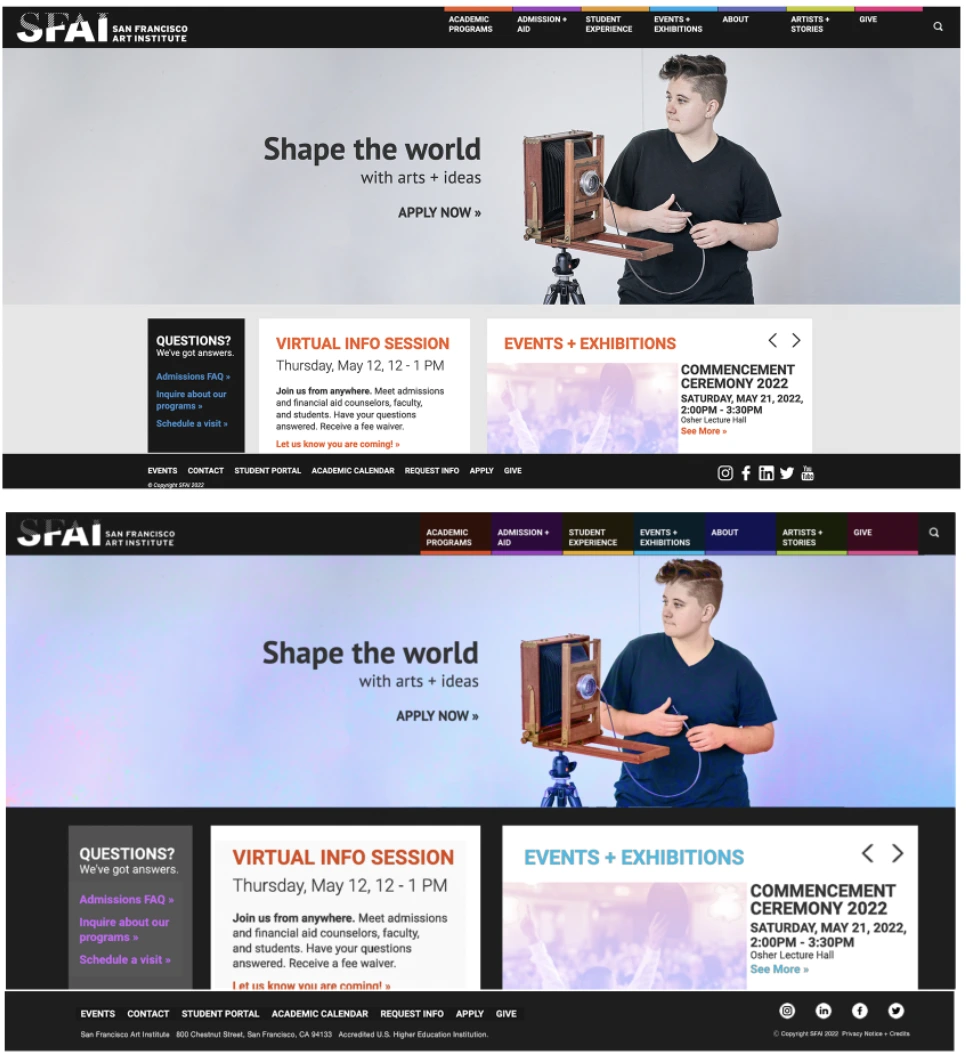
Navigation studies record the proposed organisation, while the April 2022 archived homepage shows an intermediate implementation with Admission + Aid in second position and access to the Student Portal. Together they distinguish the developed proposal from what appeared on the site.
Restructuring an art school’s website around discovery, guidance and access.
The work connected subjects, degree pathways and student life through a clearer information architecture. Navigation gave prospective students a route from exploring a practice to understanding how to apply, while the student portal served internal news and access.
01
Navigation & wayfinding
A clearer way into the school.
Academic Programs moved to the beginning of the main navigation. Admission + Aid followed immediately, keeping the next practical step close to exploration.
Earlier structure
Begin with a degree category.
Degree Programs↓
Undergraduate ProgramsGraduate Programs
The earlier menu divided program discovery into undergraduate and graduate routes.
Refreshed direction
Begin with a subject.
Academic Programs↓
FilmPaintingPhotographyAnd other practices
↓Degree pathways within each subject
Topic pages brought the options together around the practice a visitor wanted to explore.
Explanatory diagrams redrawn from the original navigation and Academic Programs plans.
The refreshed main navigation
01Academic Programs
02Admission + Aid
03Student Experience
04Events + Exhibitions
05About
06Artists + Stories
07Give
Academic Programs → Admission + Aid. Explore the subjects, then find application guidance, costs and financial aid.
View the original navigation captures
Original artifactEarlier Degree Programs flyout, preserved in the project files.Original artifactRefreshed navigation from the original plan. Admission + Aid is second.
02
Topic-led content architecture
One subject. A complete picture.
A subject page became a place to understand the practice, compare study pathways, meet faculty and explore the surrounding student experience.
Eleven areas of practice
Studio Art
Art + Technology
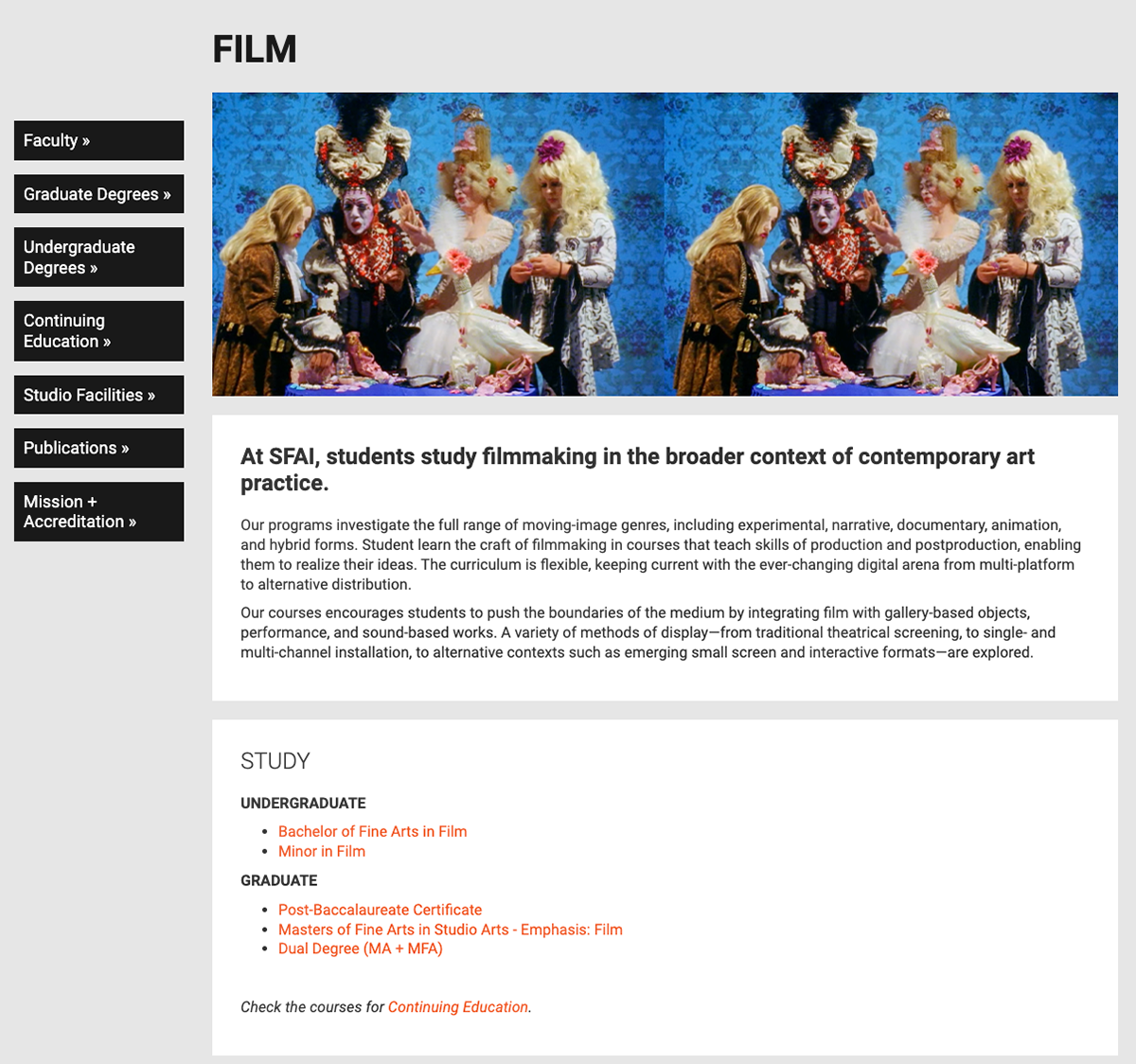
Film
New Genres
Painting
Photography
Printmaking
Sculpture
Art, Place + Public Studies
History + Theory of Contemporary Art
Exhibition + Museum Studies
Original artifactThe original Film page brings the subject overview and degree pathways together.
The page as a guided journey
01
Overview
Introduce the practice through an image and a clear account of the subject.
02
Study
Bring undergraduate, graduate and continuing-education pathways into the same subject context.
03
Spotlight
Show the practice through featured work and stories.
04
Faculty
Connect the subject to the people who teach it.
05
Experience
Continue into studios, the library, exhibitions and other useful resources.
Content sequence summarized from the original Academic Programs plan.
03
Student experience & access
Make the useful things findable.
The architecture supported different reasons for visiting: discovering the school, finding practical guidance, following its public life, or returning for everyday student information.
Prospective students
Admission + Aid
Application routes, portfolio guidance, visiting the campus, tuition and financial aid.
Library, studio facilities, exhibition spaces, academic resources and opportunities to participate.
Library + Research
Studio Facilities
Exhibition Spaces
Academic Resources
Public discovery
Events, exhibitions & stories
Clearer destinations for exhibitions and the calendar, alongside a place for stories about the school’s community and practice.
Events Calendar
Exhibitions
Lecture Series
Artists + Stories
For current students
A student portal with a clear place.
An entry point for internal news and access, reachable from Student Experience and the footer. Public discovery and recurring student tasks each had an identifiable route.
Student ExperienceFooter
↓Student Portal↓
Internal newsStudent access
Functional diagram redrawn for this case study.
Original material & context
Plans, interface studies and the public site.
The case study connects the navigation plan, subject-page content architecture and original interface studies. Its labeled diagrams explain the decisions behind those artifacts.
The archived homepage from 2 April 2022 records Admission + Aid in second position and Student Portal links in the menu and footer. It captures an intermediate state of the site.